Get Sf 50
How it works
-

Open form follow the instructions
-

Easily sign the form with your finger
-

Send filled & signed form or save
How to fill out the SF 50 online
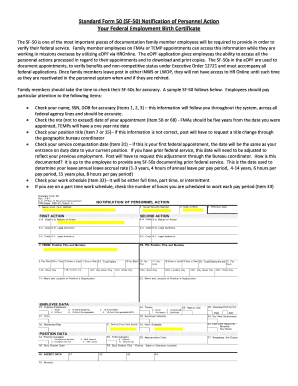
The Standard Form 50 (SF-50) serves as a vital record of your federal employment, often referred to as your "Federal Employment Birth Certificate." This guide provides step-by-step instructions on how to properly fill out the SF 50 online, ensuring all information is accurate and compliant with federal standards.
Follow the steps to accurately complete your SF 50 online
- Use the ‘Get Form’ button to access the SF 50 and open it in your preferred application for editing.
- Carefully review your name, Social Security Number (SSN), and date of birth (DOB) in items 1, 2, and 3. Ensure their accuracy as they will be carried through your federal employment record.
- Check the ‘not to exceed’ (NTE) date of your appointment in item 5B or 6B. For Family Member Appointments (FMAs), this should be set for five years from your appointment date, while Temporary (TEMP) appointments will have a one-year NTE date.
- Examine your position title in item 7 or 15. If incorrect, request a title change through your geographic bureau coordinator.
- Verify the service computation date in item 31. This date will correspond to your current entrance on duty date or need adjustment if you have prior federal service. Make sure to provide any necessary past SF 50s to reflect previous employment.
- Assess your work schedule in item 32, ensuring it states whether you are full-time, part-time, or on an intermittent schedule.
- If on a part-time schedule, check the designated number of hours for each pay period in item 33.
- Once you have filled out and reviewed all sections for accuracy, save your changes. You can then choose to download, print, or share the completed form as needed.
Complete your SF 50 online today to ensure your federal employment records are accurate.
An example of a personnel action is a promotion from a support role to a management position. This change not only reflects an employee's advancement but also requires an update on their SF 50 form to capture the new responsibilities. Documenting such changes ensures that an employee's record accurately reflects their career progress. Utilizing resources like UsLegalForms helps you easily generate and manage these important documents.
Industry-leading security and compliance
-
In businnes since 199725+ years providing professional legal documents.
-
Accredited businessGuarantees that a business meets BBB accreditation standards in the US and Canada.
-
Secured by BraintreeValidated Level 1 PCI DSS compliant payment gateway that accepts most major credit and debit card brands from across the globe.