Loading
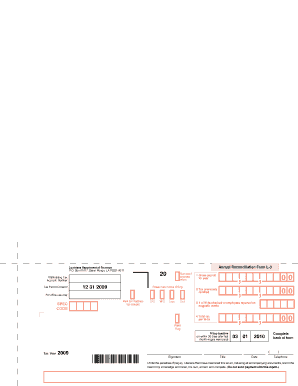
Get Louisiana 2014 Form L3
How it works
-

Open form follow the instructions
-

Easily sign the form with your finger
-

Send filled & signed form or save
How to fill out the Louisiana 2014 Form L3 online
Filling out the Louisiana 2014 Form L3 online can streamline your tax reconciliation process. This guide will provide you with step-by-step instructions to ensure you complete the form accurately and efficiently.
Follow the steps to successfully complete the Louisiana 2014 Form L3.
- Click ‘Get Form’ button to access the Louisiana 2014 Form L3 and open it in your preferred editor.
- Enter your withholding tax account number in the designated field at the top of the form. This number identifies your tax account with the Louisiana Department of Revenue.
- If this is an amended return, mark the appropriate box to indicate the change.
- Complete the section requiring your name and address. If your address has changed, be sure to mark that box as well.
- Report the total gross payroll for the year in the respective field. This figure reflects the total wages paid during the reporting period.
- Identify the total tax amount per W-2s in the relevant section. Ensure that all numbers reflect accurate records.
- After completing the front of the form, proceed to fill out the back, which includes additional information necessary for your filing. Make sure all sections are filled out accurately.
- Once you have reviewed all entries for accuracy, save your changes. You also have the option to download, print, or share the completed Form L3.
Start filling out your Louisiana 2014 Form L3 online today to ensure timely submission.
While the post office does not typically stock state tax forms, you can find them at local government offices or online. The Louisiana Department of Revenue provides easy online access to forms such as the Louisiana 2014 Form L3. Using online resources generally proves quicker and more efficient for retrieving tax forms.