Get Mortgage Form B - Street Capital
How it works
-

Open form follow the instructions
-

Easily sign the form with your finger
-

Send filled & signed form or save
How to fill out the Mortgage Form B - Street Capital online
This guide aims to provide a comprehensive overview of how to correctly fill out the Mortgage Form B - Street Capital online. By following the step-by-step instructions outlined below, users can ensure that all required information is submitted accurately and efficiently.
Follow the steps to complete the Mortgage Form B - Street Capital online.
- Click the ‘Get Form’ button to obtain the Mortgage Form B - Street Capital and open it in the editor.
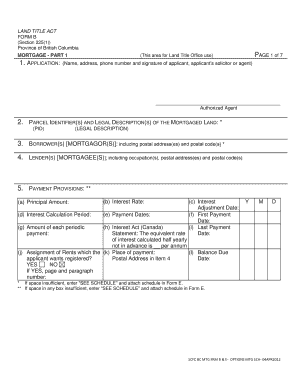
- Begin by filling out the applicant's information in the designated areas, including their name, address, phone number, and signature. If applicable, include information for an authorized agent.
- Specify the parcel identifiers and legal descriptions of the mortgaged land in the appropriate fields. Ensure this information is complete and accurate.
- Fill out the section for the borrower(s) and lender(s). Include all required details to identify the parties involved in the mortgage agreement.
- In the payment provisions section, provide necessary details such as interest rate, payment dates, first payment date, and principal amount. Be careful to follow any indicated formats and requirements.
- Check if the mortgage contains a floating charge on land or a running account, answering yes or no as applicable.
- Select the standard mortgage terms applicable to your mortgage and indicate any additional or modified terms if necessary.
- Complete the execution section, ensuring that the signatures of the borrower(s) and the officer are present. This section is essential for the validity of the document.
- If there is insufficient space for any information, indicate 'SEE SCHEDULE' and attach the relevant schedule in Form E to include any additional details.
- Once all information is filled out, review the document for accuracy. After ensuring everything is correct, you may save changes, download, print, or share the completed form.
Complete your Mortgage Form B - Street Capital online to ensure a smooth mortgage process.
Related links form
To enter your 1098 mortgage interest statement on TurboTax, navigate to the section for deductions and credits. Look for the option related to mortgage interest and follow the prompts to input the information from your 1098. Using Mortgage Form B - Street Capital can help streamline this process by ensuring you have all your information organized. TurboTax will guide you step-by-step to ensure you maximize your deductions.