We use cookies to improve security, personalize the user experience, enhance our marketing activities (including cooperating with our marketing partners) and for other business use.
Click "here" to read our Cookie Policy. By clicking "Accept" you agree to the use of cookies. Read less
Read more
Accept
Loading
Form preview
  • US Legal Forms
  • Form Library
  • More Forms
  • More Uncategorized Forms
  • H-series Reset Procedure - Flir Systems

Get H-series Reset Procedure - Flir Systems

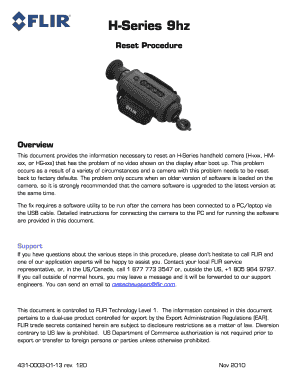
H-Series 9hz Reset Procedure Overview This document provides the information necessary to reset an H-Series handheld camera (H-xxx, HMxxx, or HG-xxx) that has the problem of no video shown on the.

How it works

  1. Open form

    Open form follow the instructions

  2. Easily sign form

    Easily sign the form with your finger

  3. Share form

    Send filled & signed form or save

How to fill out the H-Series Reset Procedure - FLIR Systems online

This guide provides users with a comprehensive understanding of the H-Series Reset Procedure for FLIR Systems. Following these steps will help ensure that you can successfully reset your H-Series handheld camera to factory settings.

Follow the steps to complete the H-Series Reset Procedure effectively.

  1. Press the ‘Get Form’ button to access the H-Series Reset Procedure form and open it in the online editor.
  2. Make sure you have all necessary items ready before proceeding. These include the camera, a compatible PC or laptop, USB cable, and required software files.
  3. Install the USB drivers by ensuring your camera is charged. Connect it to the PC using the USB cable and follow the prompts to install the drivers correctly.
  4. Install the Avalon GUI End User Tool. If you have the installation files from the Resource CD or downloaded from the web, navigate to the setup file and follow the on-screen instructions to complete installation.
  5. Determine the software version currently running on your camera. Use the Avalon tool to connect with your camera and retrieve the system information.
  6. If the software version is outdated, upgrade it by copying the swUpdate.tar file to the SD card. Follow the procedures to analyze the SD card and complete the update process.
  7. Download and install the H-Series Reset Tool by extracting the files from H-SeriesReset.zip. Follow the prompts to ensure proper installation.
  8. Connect the camera and run the H-SeriesReset Tool, ensuring that the connection is established. Click the Start button to initiate the reset process.
  9. Once the reset is complete, confirm that the camera operates correctly by checking for video display in the viewfinder.
  10. Save any changes or details regarding the procedure, and remember to store or share the completed form as needed.

Get started by completing the H-Series Reset Procedure online today!

Get form

Experience a faster way to fill out and sign forms on the web. Access the most extensive library of templates available.
Get form

Related content

Uncooled Thermal Camera Calibration and...
Sep 23, 2017 — Remote Sensing of Evapotranspiration (ReSET) is a SEB model, ... The...
Learn more
High-End Infrared Imaging Sensor Evaluation System
Santa Barbara. Infrared (SBIR) in cooperation with FLIR Systems, Inc. (FLIR) has completed...
Learn more
User's manual FLIR i3 FLIR i5 FLIR i7 Extech IRC30...
Feb 4, 2011 — All products manufactured by FLIR Systems are warranted against defective...
Learn more

Related links form

Northeastern University COSA Middle School Complete Application Packet 2019 CSULB Youth Transition Planning Application Information Questionnaire Project Management Institute Test Accommodations Request Form Northeastern University Campus Recreation Intramural Sports – Sports Official Continuity Binder

Questions & Answers

Get answers to your most pressing questions about US Legal Forms API.

Contact support

If your FLIR camera won't connect, check the power supply and ensure the device is turned on. Next, verify that your Wi-Fi network is functioning properly and that the camera is within range. If issues persist, consider following the H-Series Reset Procedure - FLIR Systems to reset the camera and restore connectivity.

To reset a FLIR thermal camera, locate the reset button on the device. Once found, press and hold the button for a few seconds until you see the camera restart. This action adheres to the H-Series Reset Procedure - FLIR Systems, ensuring your camera is set up correctly for optimal performance.

To factory reset your FLIR One Edge, ensure the device is powered on and connected to your smartphone. Open the FLIR One app, navigate to the settings menu, and select the factory reset option. Completing this step follows the H-Series Reset Procedure - FLIR Systems and can help resolve persistent issues.

To perform a hard reset on a camera, find the reset button on the unit. Power on the camera, then press and hold the reset button for an extended period, usually around 10 seconds. This action initiates the H-Series Reset Procedure - FLIR Systems, restoring your camera to its original settings and fixing potential errors.

To reset a camera with a reset button, first ensure the camera is powered on. Then, locate the reset button, usually found on the bottom or side of the device. Press and hold the button for a few seconds until the camera restarts, following the H-Series Reset Procedure - FLIR Systems for optimal results.

To reset a FLIR A70 camera, locate the reset button, which is typically found on the device's body. Press and hold the reset button for about 10 seconds until the camera powers off and restarts. Following the H-Series Reset Procedure - FLIR Systems ensures that your device returns to its default settings, helping to fix any operational issues.

A hard reset of your camera typically requires finding the reset button, which is often a small pinhole located on the device. Use a paperclip to press and hold the button for 10 to 15 seconds. This action clears any settings and can resolve persistent issues. For more detailed instructions, consult the H-Series Reset Procedure - FLIR Systems, ensuring you follow the guidelines for a complete reset.

Resetting your FLIR NVR involves accessing the settings menu. Navigate to the system settings, then find the option for 'Restore Defaults' or 'Factory Reset.' Confirm your choice to initiate the reset. This action can solve various operational issues, so if you're unsure, refer to the H-Series Reset Procedure - FLIR Systems for detailed guidance.

To force restart your camera, locate the power button and hold it down for about 10 seconds until the device powers off. This method often resolves minor issues without needing to go through the H-Series Reset Procedure - FLIR Systems. Once the camera is off, wait a few moments, then press the power button again to turn it back on. If issues persist, consider following the complete H-Series Reset Procedure - FLIR Systems for a more thorough reset.

FLIR cameras are designed and factory calibrated for accurate temperature measurements and thermal imaging. When maintained with FLIR's annual calibration services, they will be highly reliable in spotting thermal anomalies and other temperature phenomena.

Get This Form Now!

Use professional pre-built templates to fill in and sign documents online faster. Get access to thousands of forms.
Get form
If you believe that this page should be taken down, please follow our DMCA take down processhere.

Industry-leading security and compliance

US Legal Forms protects your data by complying with industry-specific security standards.
  • In businnes since 1997
    25+ years providing professional legal documents.
  • Accredited business
    Guarantees that a business meets BBB accreditation standards in the US and Canada.
  • Secured by Braintree
    Validated Level 1 PCI DSS compliant payment gateway that accepts most major credit and debit card brands from across the globe.
Get H-Series Reset Procedure - FLIR Systems
Get form
Form Packages
Adoption
Bankruptcy
Contractors
Divorce
Home Sales
Employment
Identity Theft
Incorporation
Landlord Tenant
Living Trust
Name Change
Personal Planning
Small Business
Wills & Estates
Packages A-Z
Form Categories
Affidavits
Bankruptcy
Bill of Sale
Corporate - LLC
Divorce
Employment
Identity Theft
Internet Technology
Landlord Tenant
Living Wills
Name Change
Power of Attorney
Real Estate
Small Estates
Wills
All Forms
Forms A-Z
Form Library
Customer Service
Terms of Service
Privacy Notice
Legal Hub
Content Takedown Policy
Bug Bounty Program
About Us
Help Portal
Legal Resources
Blog
Affiliates
Contact Us
Delete My Account
Site Map
Industries
Forms in Spanish
Localized Forms
State-specific Forms
Forms Kit
Legal Guides
Real Estate Handbook
All Guides
Prepared for You
Notarize
Incorporation services
Our Customers
For Consumers
For Small Business
For Attorneys
Our Sites
US Legal Forms
USLegal
FormsPass
pdfFiller
signNow
airSlate WorkFlow
DocHub
Instapage
Social Media
Call us now toll free:
+1 833 426 79 33
As seen in:
  • USA Today logo picture
  • CBC News logo picture
  • LA Times logo picture
  • The Washington Post logo picture
  • AP logo picture
  • Forbes logo picture
© Copyright 1997-2025
airSlate Legal Forms, Inc.
3720 Flowood Dr, Flowood, Mississippi 39232
Form Packages
Adoption
Bankruptcy
Contractors
Divorce
Home Sales
Employment
Identity Theft
Incorporation
Landlord Tenant
Living Trust
Name Change
Personal Planning
Small Business
Wills & Estates
Packages A-Z
Form Categories
Affidavits
Bankruptcy
Bill of Sale
Corporate - LLC
Divorce
Employment
Identity Theft
Internet Technology
Landlord Tenant
Living Wills
Name Change
Power of Attorney
Real Estate
Small Estates
Wills
All Forms
Forms A-Z
Form Library
Customer Service
Terms of Service
Privacy Notice
Legal Hub
Content Takedown Policy
Bug Bounty Program
About Us
Help Portal
Legal Resources
Blog
Affiliates
Contact Us
Delete My Account
Site Map
Industries
Forms in Spanish
Localized Forms
State-specific Forms
Forms Kit
Legal Guides
Real Estate Handbook
All Guides
Prepared for You
Notarize
Incorporation services
Our Customers
For Consumers
For Small Business
For Attorneys
Our Sites
US Legal Forms
USLegal
FormsPass
pdfFiller
signNow
airSlate WorkFlow
DocHub
Instapage
Social Media
Call us now toll free:
+1 833 426 79 33
As seen in:
  • USA Today logo picture
  • CBC News logo picture
  • LA Times logo picture
  • The Washington Post logo picture
  • AP logo picture
  • Forbes logo picture
© Copyright 1997-2025
airSlate Legal Forms, Inc.
3720 Flowood Dr, Flowood, Mississippi 39232