Loading
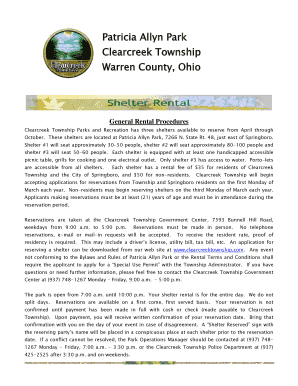
Get Patricia Allyn Park
How it works
-

Open form follow the instructions
-

Easily sign the form with your finger
-

Send filled & signed form or save
How to fill out the Patricia Allyn Park online
This guide provides a clear and supportive walkthrough for users looking to fill out the Patricia Allyn Park online rental form. By following these step-by-step instructions, users can ensure they complete the application accurately and efficiently.
Follow the steps to easily complete your rental application.
- Click 'Get Form' button to obtain the form and open it in your preferred editing tool.
- Enter today’s date in the designated field. This helps establish the timeline for your reservation request.
- Fill in your name and phone number accurately, ensuring all contact information is up to date for any correspondence.
- Provide your complete address, including street, city, state, and zip code, to confirm your residency.
- If applicable, enter your organization’s name, which aids in identifying the group responsible for the rental.
- Specify the date you wish to reserve the shelter. It is important to check availability beforehand.
- Indicate the type of use for your reservation, such as a reunion or picnic, to inform officials of the event nature.
- Estimate the number of people expected at the event. Note that if you expect more than 100 attendees, you will need to complete a 'Special Use Permit'.
- Select the shelter you wish to reserve by marking the appropriate box (Shelter 1, Shelter 2, or Shelter 3).
- If you plan to use a sound system or any electrical/motorized equipment, indicate this by marking 'Yes' and be prepared to fill out additional special permits if needed.
- List any equipment or supplies you will be bringing on-site to ensure proper planning and accommodations.
- Calculate the total fees based on residency status and number of shelters reserved and input the amount.
- Read the facility usage stipulations thoroughly and acknowledge your understanding by signing and dating the form.
- After completion, ensure to save changes, download, print, or share the form as needed to finalize your application.
Begin filling out your rental application online today to secure your shelter reservation!
Baselines: These run parallel to the pickleball net on both ends of the court. Sidelines: These run perpendicular to the pickleball net on both sides of the court. Non-Volley Line: These lines should be 7 feet from the net and located on each side of the net between sidelines, running parallel to the net.
Industry-leading security and compliance
US Legal Forms protects your data by complying with industry-specific security standards.
-
In businnes since 199725+ years providing professional legal documents.
-
Accredited businessGuarantees that a business meets BBB accreditation standards in the US and Canada.
-
Secured by BraintreeValidated Level 1 PCI DSS compliant payment gateway that accepts most major credit and debit card brands from across the globe.