Loading
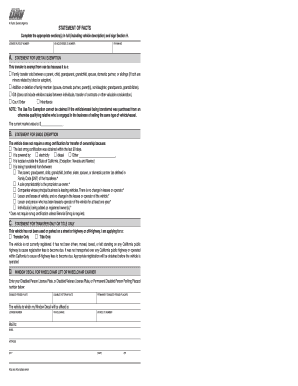
Get Ca Dmv Reg 256 2008-2025
How it works
-

Open form follow the instructions
-

Easily sign the form with your finger
-

Send filled & signed form or save
How to fill out the CA DMV REG 256 online
This guide provides clear, step-by-step instructions for completing the CA DMV REG 256 form online. Whether you are transferring ownership of a vehicle or changing details, this user-friendly guide will assist you in navigating each section effectively.
Follow the steps to complete the CA DMV REG 256 form online.
- Click ‘Get Form’ button to obtain the CA DMV REG 256 form and open it in the editor.
- Complete the 'Statement of Facts' section in full, ensuring you include the vehicle description and any applicable exemptions in the provided fields.
- Fill in the 'License Plate/CF Number,' 'Vehicle/Vessel ID Number,' and 'Year/Make' fields accurately. This information is crucial for identifying the vehicle associated with the transfer.
- If applicable, provide details for the 'Statement for Use Tax Exemption.' Indicate the reason for the exemption by selecting the appropriate options and providing the current market value of the vehicle.
- In the 'Statement for Smog Exemption' section, indicate whether the vehicle requires smog certification by selecting the relevant reason from the list provided.
- For those applying for transfer only or title only, complete the section accordingly by selecting the correct option and ensuring the vehicle has not been registered or operated within California.
- If applicable, fill out the 'Window Decal for Wheelchair Lift or Wheelchair Carrier' section with the relevant license plate or placard number and vehicle information.
- In the 'Statement for Vehicle Body Change,' specify any changes made to the vehicle and the associated costs, if any. Make sure to check all applicable changes.
- Provide your name and any required corrections in the 'Name Statement' section to ensure your information is accurate.
- Sign and date the form in Section H, certifying the information provided is true and correct under penalty of perjury.
- Once all sections are completed, you can save changes, download, print, or share the form as needed.
Start completing your CA DMV REG 256 form online today for a smooth transfer process.
To transfer your registration to another person, you must fill out a California DMV form and provide the new owner’s information. The process typically involves submitting the CA DMV REG 256 form along with other required documents either online or in person. Ensure that all steps are completed to finalize the transfer efficiently.
Industry-leading security and compliance
US Legal Forms protects your data by complying with industry-specific security standards.
-
In businnes since 199725+ years providing professional legal documents.
-
Accredited businessGuarantees that a business meets BBB accreditation standards in the US and Canada.
-
Secured by BraintreeValidated Level 1 PCI DSS compliant payment gateway that accepts most major credit and debit card brands from across the globe.