Loading
Form preview
  • US Legal Forms
  • Form Library
  • More Forms
  • More Uncategorized Forms
  • Xantrex Link 20

Get Xantrex Link 20

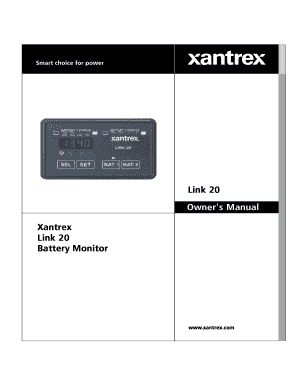
Link 20 Owner's Manual Xantrex Link 20 Battery Monitor TABLE OF CONTENTS Introduction, Battery Facts Front Panel Description Using Your Link 20 Reading Dual Watchtm Light Bars Link 20 Battery Management.

How it works

  1. Open form

    Open form follow the instructions

  2. Easily sign form

    Easily sign the form with your finger

  3. Share form

    Send filled & signed form or save

How to fill out the Xantrex Link 20 online

This guide provides clear and supportive instructions for filling out the Xantrex Link 20 online. Whether you're new to battery monitoring or have experience, this step-by-step approach will help ensure that you correctly complete the form.

Follow the steps to successfully complete the Xantrex Link 20 form.

  1. Press the ‘Get Form’ button to access the Xantrex Link 20 form and open it in your chosen document editor.
  2. Review the 'Front Panel Description' section to understand the various indicators and buttons before proceeding with the form.
  3. Fill in the 'Battery Capacity' field by entering the total amp-hour rating of your batteries. This is essential to ensure accurate monitoring.
  4. Select the appropriate 'Battery Type' from the dropdown options, either liquid or gelled, which influences the settings used for monitoring.
  5. Adjust the 'Charged Voltage' setting based on your specific battery requirements, ensuring it reflects the correct voltage for your system.
  6. Specify the 'Charged Current Percentage' to define the threshold at which your battery will be considered fully charged, usually around 2% of capacity.
  7. Verify any additional settings such as the 'Peukert Exponent' for accurately reflecting the effective capacity of your batteries under different discharge rates.
  8. Once all fields have been completed and reviewed, proceed to save your changes. You may then choose to download, print, or share the completed form as necessary.

Complete your Xantrex Link 20 form online to ensure efficient battery monitoring.

Get form

Experience a faster way to fill out and sign forms on the web. Access the most extensive library of templates available.
Get form

Related content

Integration of Xantrex HY-100 Hybrid Inverter with...
... http://www.ntis.gov/ordering.htm. Printed on paper containing at least 50% wastepaper...
Learn more
What is an Amp Hour Meter? (And why the heck do we...
... damage from repeated deep discharges (50% to 80% of capacity used up)...but will still...
Learn more
Xantrex Link 1000 Users Manual About_Link1000
Feb 3, 2015 — Xantrex Xantrex-Link-1000-Users-Manual-473688 ... 20. About Link 1000...
Learn more

Related links form

Ration Card Form 7 Duct Leakage Test Report Kndi Exams Past Papers Form-23 Forklift Inspection Report.doc

Questions & Answers

Get answers to your most pressing questions about US Legal Forms API.

Contact support

A Xantrex inverter takes available battery power and converts it to AC power to operate household appliances. In many cases there are additional “hidden loads” that will draw power from the inverter even when they are turned off. Some examples are: TV tubes being kept warm and microwave & VCR clocks.

You can be thankful to inverters for protecting your equipment during power surges. They detect the inadequate power supply, and in the process, stops direct power supply to the equipment. It then immediately provides a stable source of energy, which is stores in their batteries, to power your equipment.

An inverter takes 12-volt DC power from your RV batteries and electronically changes it to 120-volt AC. Some RVers use an inverter just to watch TV or for their personal computer. Other RVers use an inverter to operate microwaves, coffee pots or other larger appliances.

An inverter simply converts DC (battery) power into AC power and then passes it along to connected equipment. An inverter/charger does the same thing, except that it is connected to an AC power source to continuously charge the attached batteries when AC utility power is available.

Equalize Procedure To begin equalizing, enter SETUP mode, then hold both SETUP and CHARGE until the BATTERY STATE LEDs start blinking. Equalizing should only be engaged after the batteries have been fully charged by the normal battery charging cycle. The Equalizing charge cycle lasts approximately eight hours.

The inverter should be on all the time. You should have an auto transfer switch to move from shore power to the inverter whenever shore power is not present. My auto transfer switch is separate from the inverter, but some have them built in. I leave the inverter on always unless the rig is in storage.

Get This Form Now!

Use professional pre-built templates to fill in and sign documents online faster. Get access to thousands of forms.
Get form
If you believe that this page should be taken down, please follow our DMCA take down processhere.

Industry-leading security and compliance

US Legal Forms protects your data by complying with industry-specific security standards.
  • In businnes since 1997
    25+ years providing professional legal documents.
  • Accredited business
    Guarantees that a business meets BBB accreditation standards in the US and Canada.
  • Secured by Braintree
    Validated Level 1 PCI DSS compliant payment gateway that accepts most major credit and debit card brands from across the globe.
Get Xantrex Link 20
Get form
Form Packages
Adoption
Bankruptcy
Contractors
Divorce
Home Sales
Employment
Identity Theft
Incorporation
Landlord Tenant
Living Trust
Name Change
Personal Planning
Small Business
Wills & Estates
Packages A-Z
Form Categories
Affidavits
Bankruptcy
Bill of Sale
Corporate - LLC
Divorce
Employment
Identity Theft
Internet Technology
Landlord Tenant
Living Wills
Name Change
Power of Attorney
Real Estate
Small Estates
Wills
All Forms
Forms A-Z
Form Library
Customer Service
Your Privacy Choices
Terms of Service
Privacy Notice
Legal Hub
Content Takedown Policy
Bug Bounty Program
About Us
Help Portal
Legal Resources
Blog
Affiliates
Contact Us
Delete My Account
Site Map
Industries
Forms in Spanish
Localized Forms
State-specific Forms
Forms Kit
Legal Guides
Real Estate Handbook
All Guides
Prepared for You
Notarize
Incorporation services
Our Customers
For Consumers
For Small Business
For Attorneys
Our Sites
US Legal Forms
USLegal
FormsPass
pdfFiller
signNow
altaFlow
DocHub
Instapage
Social Media
Call us now toll free:
+1 833 426 79 33
As seen in:
  • USA Today logo picture
  • CBC News logo picture
  • LA Times logo picture
  • The Washington Post logo picture
  • AP logo picture
  • Forbes logo picture
© Copyright 1997-2025
airSlate Legal Forms, Inc.
3720 Flowood Dr, Flowood, Mississippi 39232
Form Packages
Adoption
Bankruptcy
Contractors
Divorce
Home Sales
Employment
Identity Theft
Incorporation
Landlord Tenant
Living Trust
Name Change
Personal Planning
Small Business
Wills & Estates
Packages A-Z
Form Categories
Affidavits
Bankruptcy
Bill of Sale
Corporate - LLC
Divorce
Employment
Identity Theft
Internet Technology
Landlord Tenant
Living Wills
Name Change
Power of Attorney
Real Estate
Small Estates
Wills
All Forms
Forms A-Z
Form Library
Customer Service
Your Privacy Choices
Terms of Service
Privacy Notice
Legal Hub
Content Takedown Policy
Bug Bounty Program
About Us
Help Portal
Legal Resources
Blog
Affiliates
Contact Us
Delete My Account
Site Map
Industries
Forms in Spanish
Localized Forms
State-specific Forms
Forms Kit
Legal Guides
Real Estate Handbook
All Guides
Prepared for You
Notarize
Incorporation services
Our Customers
For Consumers
For Small Business
For Attorneys
Our Sites
US Legal Forms
USLegal
FormsPass
pdfFiller
signNow
altaFlow
DocHub
Instapage
Social Media
Call us now toll free:
+1 833 426 79 33
As seen in:
  • USA Today logo picture
  • CBC News logo picture
  • LA Times logo picture
  • The Washington Post logo picture
  • AP logo picture
  • Forbes logo picture
© Copyright 1997-2025
airSlate Legal Forms, Inc.
3720 Flowood Dr, Flowood, Mississippi 39232