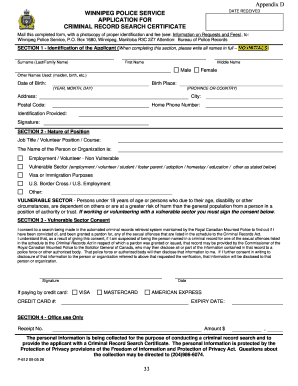
Get Canada P-612 09 05 26
How it works
-

Open form follow the instructions
-

Easily sign the form with your finger
-

Send filled & signed form or save
How to fill out and sign Canada P-612 09 05 26 online?
Get your online template and fill it in using progressive features. Enjoy smart fillable fields and interactivity.Follow the simple instructions below:Securing a licensed specialist, arranging a scheduled appointment, and visiting the office for a confidential discussion renders handling a Canada P-612 09 05 26 from beginning to end tiring.
US Legal Forms allows you to swiftly create legally acceptable documents using pre-designed online templates.
Easily generate a Canada P-612 09 05 26 without the need to involve professionals. Over 3 million users are already benefiting from our extensive collection of legal documents. Join us today and access the top library of online templates. Try it for yourself!
- Locate the Canada P-612 09 05 26 you need.
- Access it with the online editor and start modifying.
- Fill in the blank fields; names of the involved parties, addresses, and contact numbers, etc.
- Tailor the template with intelligent fillable fields.
- Specify the date/time and place your electronic signature.
- Simply click Done after reviewing everything.
- Download the completed document to your device or print it out as a hard copy.
Tips on how to fill out, edit and sign Canada P-612 09 05 26 online
How to fill out and sign Canada P-612 09 05 26 online?
Get your online template and fill it in using progressive features. Enjoy smart fillable fields and interactivity.Follow the simple instructions below:
Securing a licensed specialist, arranging a scheduled appointment, and visiting the office for a confidential discussion renders handling a Canada P-612 09 05 26 from beginning to end tiring.
US Legal Forms allows you to swiftly create legally acceptable documents using pre-designed online templates.
Easily generate a Canada P-612 09 05 26 without the need to involve professionals. Over 3 million users are already benefiting from our extensive collection of legal documents. Join us today and access the top library of online templates. Try it for yourself!
- Locate the Canada P-612 09 05 26 you need.
- Access it with the online editor and start modifying.
- Fill in the blank fields; names of the involved parties, addresses, and contact numbers, etc.
- Tailor the template with intelligent fillable fields.
- Specify the date/time and place your electronic signature.
- Simply click Done after reviewing everything.
- Download the completed document to your device or print it out as a hard copy.
How to Modify Get Canada P-612 09 05 26: Personalize Forms Online
Experience a worry-free and digital method of working with Get Canada P-612 09 05 26. Utilize our dependable online option and conserve a significant amount of time.
Creating each document, including Get Canada P-612 09 05 26, from the ground up consumes excessive time; therefore, employing a tested method of pre-loaded form templates can greatly enhance your efficiency.
However, utilizing them can be challenging, especially when dealing with documents in PDF format. Luckily, our vast library features a built-in editor enabling you to swiftly complete and modify Get Canada P-612 09 05 26 without having to exit our website, ensuring that you don't squander your valuable time adjusting your documents. Here’s what you can accomplish with your document using our tools:
Whether you need to complete editable Get Canada P-612 09 05 26 or any other document in our catalog, you’re on the correct path with our online document editor. It’s simple and secure and does not require specialized skills. Our web-based tool is designed to handle nearly everything you can envision regarding document editing and completion.
Forget about the traditional approach to managing your documents. Opt for a professional solution to help you streamline your tasks and reduce their reliance on paper.
- Step 1. Find the required form on our site.
- Step 2. Click Get Form to launch it in the editor.
- Step 3. Utilize specialized editing tools that allow you to insert, delete, annotate, and highlight or redact text.
- Step 4. Create and incorporate a legally binding signature to your document by using the signing option from the upper toolbar.
- Step 5. If the document format isn’t how you desire it, use the tools on the right to delete, add, and reorganize pages.
- Step 6. Add fillable fields so other individuals can be invited to complete the document (if relevant).
- Step 7. Distribute or send the document, print it, or choose the format in which you’d like to receive the document.
To report Canada Pension Plan income on your 1040, you typically enter it on the designated line for pensions and annuities. Ensure you have the appropriate documentation, such as your T4A tax slip, as this will assist in accurately reporting your income. For a smooth filing experience, it might be helpful to reference materials like Canada P-612 09 05 26.