Loading
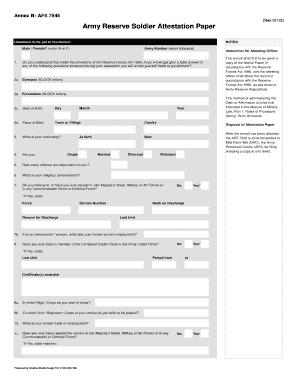
Get Annex B: Afe 7545
How it works
-

Open form follow the instructions
-

Easily sign the form with your finger
-

Send filled & signed form or save
How to fill out the Annex B: AFE 7545 online
Filling out the Annex B: AFE 7545 online can seem daunting, but this guide will provide you with clear, step-by-step instructions to help simplify the process. By following these directions, you can ensure that your document is completed accurately and efficiently.
Follow the steps to successfully complete the Annex B: AFE 7545.
- Click ‘Get Form’ button to access and open the Annex B: AFE 7545 form.
- Begin by entering your gender. You can indicate your gender as Male or Female by entering 'M' or 'F'.
- In the next section, input your Army Number once allocated, and confirm your understanding of the legal consequences of providing false answers.
- Fill in your surname and forenames in block letters as specified. This is critical for accurate documentation.
- Provide your Date of Birth, including day, month, and year, followed by your place of birth, including town or village and county.
- State your nationality in the designated field.
- Indicate your marital status by choosing from the options: Single, Married, Divorced, or Widowed.
- Answer the question regarding the number of dependent children, and provide details about your religious denomination.
- If applicable, respond whether you have ever served in the military or any related forces, and provide additional information if you answer 'Yes'.
- Specify the regiment or corps in which you wish to enlist, and also indicate your preferred unit or regiment.
- Provide details about your civilian trade or employment and whether you have faced rejection for service in the military.
- Indicate if you have received any honours or awards, and list them if applicable.
- If you have changed your name, provide your previous name.
- Enter your National Insurance Number as well as the necessary medical details to be filled by your Medical Officer.
- Have a qualified witness sign and provide their details where indicated on the form.
- Once all sections are complete, review the form for accuracy. Save your changes, download a copy, and ensure it is printed if necessary.
Complete your Annex B: AFE 7545 online today to ensure your enlistment process is smooth and efficient.
If you're interested in transferring to a new unit, the first step is to identify a vacancy. Click here to view instructions on finding one. After you identify at least three UICs, contact your Army Reserve Career Counselor or your Career Management Officer to find a POC to facilitate the transfer.
Industry-leading security and compliance
US Legal Forms protects your data by complying with industry-specific security standards.
-
In businnes since 199725+ years providing professional legal documents.
-
Accredited businessGuarantees that a business meets BBB accreditation standards in the US and Canada.
-
Secured by BraintreeValidated Level 1 PCI DSS compliant payment gateway that accepts most major credit and debit card brands from across the globe.