Loading
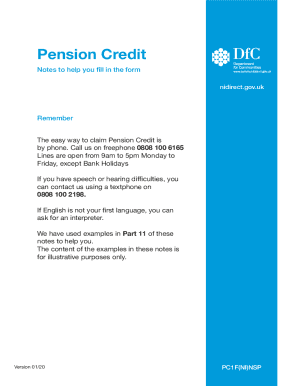
Get Uk Nhs Pc1f 2020-2025
How it works
-

Open form follow the instructions
-

Easily sign the form with your finger
-

Send filled & signed form or save
How to fill out the UK NHS PC1F online
This guide provides comprehensive instructions on how to complete the UK NHS PC1F form online. Whether you're familiar with online forms or a first-time user, follow these user-friendly steps to ensure your application is filled out correctly.
Follow the steps to successfully complete the UK NHS PC1F form.
- Click the ‘Get Form’ button to access the PC1F form in your preferred online format.
- Begin with Part 1: About You. Enter your personal details, including your name, date of birth, and contact information. Providing your phone number is beneficial for follow-ups regarding your application.
- Proceed to Part 2: About your partner, if applicable. Fill in your partner's details, ensuring to clarify your relationship status accurately.
- Move to Part 3: About children you want to claim for. Specify any children or qualifying young people, including their ages and your responsibility for them.
- In Part 4: About where you live, provide accurate information about your living situation, including household members and housing costs if relevant.
- Part 5 requires details about your finances. Total your savings and investments, and disclose any property ownership.
- Fill out Part 6: About benefits, specifying any social security benefits you or your partner may currently receive.
- In Part 7: About pensions, list any pensions held by you or your partner, along with necessary proof of amounts.
- Moving on to Part 8: About work, report any current or recent employment undertaken by you or your partner.
- Provide information in Part 9: About other money coming in, detailing various income types received.
- In Part 10, address any additional relevant circumstances that could impact your application.
- Specify the desired start date for your Pension Credit application in Part 11. Ensure that the date aligns with your eligibility.
- In Part 12: Other information, include any extra details that may affect your application.
- Complete Part 13: How we pay you, selecting the payment frequency and providing account details.
- Sign and date the declaration in Part 14 to confirm the accuracy of your information.
- Finally, use Part 15 to summarize and attach any necessary documents, ensuring all original documentation requested is included.
- Save your form changes, then download, print, or share it as required to finalize your application.
Complete your application online today to ensure you receive the support you need.
Related links form
Industry-leading security and compliance
US Legal Forms protects your data by complying with industry-specific security standards.
-
In businnes since 199725+ years providing professional legal documents.
-
Accredited businessGuarantees that a business meets BBB accreditation standards in the US and Canada.
-
Secured by BraintreeValidated Level 1 PCI DSS compliant payment gateway that accepts most major credit and debit card brands from across the globe.