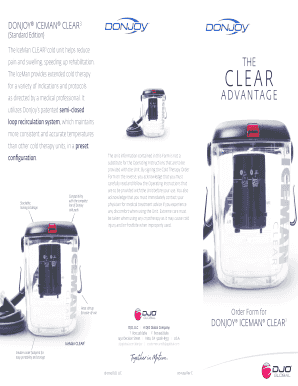
Get Order Form For Donjoy Iceman Clear3 - Djo Global
How it works
-

Open form follow the instructions
-

Easily sign the form with your finger
-

Send filled & signed form or save
How to fill out the Order Form For DonJoy IceMan CLEAR3 - DJO Global online
Filling out the Order Form For DonJoy IceMan CLEAR3 online is a straightforward process that ensures you receive the necessary cold therapy unit with proper authorization. This guide provides you with detailed, step-by-step instructions to help you complete the form accurately and efficiently.
Follow the steps to fill out the order form correctly.
- Click ‘Get Form’ button to access the order form and open it in your preferred editor.
- Fill out your credit card and shipping information in the designated fields. Ensure that the information matches what appears on your credit card.
- Provide the patient’s name and date of birth in the respective sections. This information is crucial for the order processing.
- Select the appropriate cold therapy wrap you require by checking the corresponding box, such as the shoulder wrap or knee wrap.
- Enter the shipping address if it differs from the billing address. Accurate address details are necessary to ensure timely delivery.
- Obtain your physician's signature in the authorization section of the order form. This is required for the order to be valid.
- Fill in your physician’s details, including their name, NPI number, phone number, and email address.
- Complete the payment section by entering your credit card number, CVC security code, and expiration date. Select the shipping option that best fits your needs.
- Review all filled information for accuracy. Make sure each section is completed correctly.
- Once all fields are completed, you can save the changes, then download, print, or share the order form by faxing or emailing it to the appropriate contact provided.
Complete your order form online today to ensure prompt processing of your DonJoy IceMan CLEAR3 unit.
Related links form
3:00 7:47 DonJoy Iceman Cold Therapy - YouTube YouTube Start of suggested clip End of suggested clip Place. Step 5 attach the pad to the cooler. Press in the silver buttons then link the connections.MorePlace. Step 5 attach the pad to the cooler. Press in the silver buttons then link the connections. Together you will hear two clicks one from each connector. Step 6 to turn the Iceman on insert.
Industry-leading security and compliance
-
In businnes since 199725+ years providing professional legal documents.
-
Accredited businessGuarantees that a business meets BBB accreditation standards in the US and Canada.
-
Secured by BraintreeValidated Level 1 PCI DSS compliant payment gateway that accepts most major credit and debit card brands from across the globe.