Loading
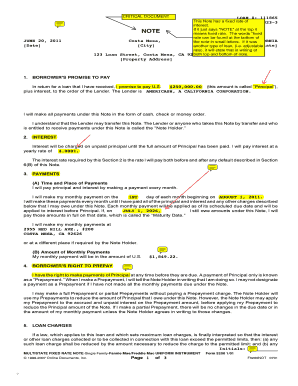
Get Transparent Line Of Text To Fix Swiftview Orientation Problem
How it works
-

Open form follow the instructions
-

Easily sign the form with your finger
-

Send filled & signed form or save
How to fill out the TRANSPARENT LINE OF TEXT TO FIX SWIFTVIEW ORIENTATION PROBLEM online
This guide provides detailed instructions on how to correctly complete the TRANSPARENT LINE OF TEXT TO FIX SWIFTVIEW ORIENTATION PROBLEM form online. Follow these steps to ensure your form is filled out properly and efficiently.
Follow the steps to fill out the form successfully.
- Click the ‘Get Form’ button to access the form and open it in the designated editor.
- Begin by entering the date at the top of the form, ensuring that you use the correct format. This is essential for proper record-keeping.
- Provide your loan number in the designated field. Ensure that you enter the number exactly as it appears in your loan documentation.
- In the section labeled 'Borrower’s promise to pay,' input the principal amount of the loan. This is the total amount of the loan you have received.
- Next, enter the interest rate, which should be recorded as a percentage. Be sure to verify the rate in your loan agreement.
- Record the time and place of monthly payments—including the first payment date and payment location—making sure these align with your agreement.
- Fill in the amount of the monthly payment in the specified area.
- If applicable, detail any rights regarding prepayments. Make sure to state how and when you may notify the note holder.
- Complete any information related to loan charges by referencing your loan documentation.
- Review all information for accuracy. Once verified, you can save, download, print, or share the completed form as needed.
Complete your forms online today to ensure accuracy and efficiency.
Industry-leading security and compliance
US Legal Forms protects your data by complying with industry-specific security standards.
-
In businnes since 199725+ years providing professional legal documents.
-
Accredited businessGuarantees that a business meets BBB accreditation standards in the US and Canada.
-
Secured by BraintreeValidated Level 1 PCI DSS compliant payment gateway that accepts most major credit and debit card brands from across the globe.