Loading
Get As Nzs 4187 Download
How it works
-

Open form follow the instructions
-

Easily sign the form with your finger
-

Send filled & signed form or save
How to use or fill out the As Nzs 4187 Download online
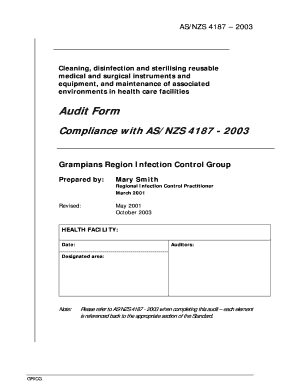
This guide provides clear instructions on how to fill out the As Nzs 4187 Download form online, specifically designed for compliance with the standards for cleaning, disinfection, and sterilisation of reusable medical and surgical instruments in healthcare facilities.
Follow the steps to fill out the form accurately.
- Click the ‘Get Form’ button to access the As Nzs 4187 Download form. This will allow you to obtain the form and open it in your digital editor.
- Begin by filling in the health facility name, date of the audit, auditors' names, and designated area in the top section of the form. Ensure all information is accurate and up-to-date.
- Refer to the AS/NZS 4187 - 2003 standards as you complete each section of the audit form. Each item in the form corresponds to specific guidelines from the standards.
- Proceed to the scoring system section. Use the scoring criteria provided to evaluate compliance. Mark each criterion as acceptable, unacceptable, or not applicable.
- For each section that pertains to the standards, provide relevant comments or notes as instructed, detailing any observations or findings during the audit.
- Once all sections are complete, review the filled form for accuracy, ensuring each item has been addressed according to the corresponding AS/NZS standard.
- Finally, save your changes, and choose to download, print, or share the completed audit form as required by your facility's protocols.
Start completing your documents online today to ensure compliance with AS/NZS 4187 - 2003.
There are three levels of decontamination, general cleaning, disinfection and sterilisation.