Loading
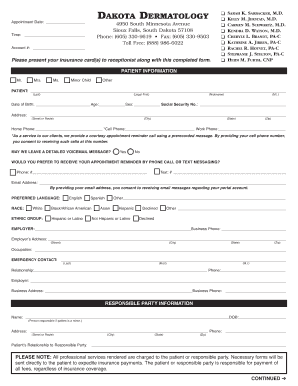
Get Sd Dermatology Patient Info Sheet 2020-2026
How it works
-

Open form follow the instructions
-

Easily sign the form with your finger
-

Send filled & signed form or save
How to fill out the SD Dermatology Patient Info Sheet online
Completing the SD Dermatology Patient Info Sheet online is an important step in ensuring that your appointment goes smoothly and that all necessary information is accurately collected. This guide will provide you with a clear framework for filling out the form step by step, enabling you to submit your information effectively and efficiently.
Follow the steps to complete your patient information sheet online:
- Click ‘Get Form’ button to obtain the form and open it in an online editor.
- Begin by entering your appointment date and time in the designated fields.
- Fill in your personal information under the 'Patient Information' section, including your full name (last, first, and nickname), date of birth, age, sex, and social security number.
- Complete your address details, including street address, city, state, and zip code.
- Provide your contact numbers for home, cell, and work. Indicate if you consent to receive appointment reminder calls by checking 'Yes' or 'No'.
- Select your preferred method for receiving appointment reminders, either by phone call or text messaging, and provide the necessary phone number.
- Enter your email address to receive communication regarding your portal account.
- Indicate your preferred language, race, and ethnic group by selecting or entering the applicable options.
- Fill out your employer information, including your employer's name, business phone, and address.
- Provide emergency contact details, including their name, relationship to you, and their phone number.
- If the patient is a minor, complete the 'Responsible Party Information' section with the responsible party's details.
- Fill out the primary and secondary insurance coverage information, including the insurance company's name, policyholder details, relationship to the policyholder, and necessary policy numbers.
- Complete the insurance authorization and assignment section by signing and dating the form.
- Indicate whether you have an Advanced Directive and provide the name of your surrogate/director if applicable.
- Authorize individuals involved in your care to communicate with Dakota Dermatology by providing their names and relationships, followed by signing and dating the form.
- Once you have filled out all sections of the form, save your changes. You may also download, print, or share the completed form as needed.
Start filling out the SD Dermatology Patient Info Sheet online today to ensure your information is ready for your appointment.
October, 2, 2019 – Galderma (“the Company”), rebranded from Nestlé Skin Health, today debuts as the world's largest independent global dermatology company following the completion of the CHF 10.2 billion acquisition, first announced in May 2019.