Loading
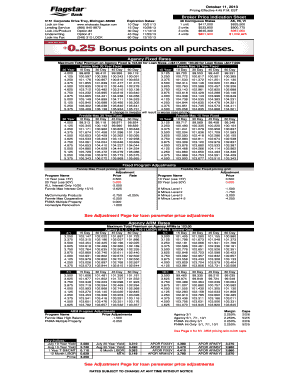
Get Com Lending Service (866) 945-9872 Lock-insproduct Option #2 Underwriting Option #1 Lock-ins Fax
How it works
-

Open form follow the instructions
-

Easily sign the form with your finger
-

Send filled & signed form or save
How to fill out the Com Lending Service (866) 945-9872 Lock-ins Product Option #2 Underwriting Option #1 Lock-Ins Fax online
This guide provides clear and concise instructions on how to fill out the Com Lending Service Lock-ins Product Option #2 Underwriting Option #1 Lock-Ins Fax. Whether you are familiar with digital document management or new to this process, this step-by-step guide will assist you with the required sections of the form.
Follow the steps to effectively complete the lock-in form.
- Press the ‘Get Form’ button to acquire the form and open it in the editor.
- Fill in your personal information in the designated fields at the top of the form. Include your name, contact number, and email address. Ensure that all details are accurately represented to avoid potential processing issues.
- Select the appropriate product option from the available choices. As this guide is focused on Product Option #2, ensure you indicate this option clearly.
- Choose the underwriting option that best suits your needs. Since we are dealing with Underwriting Option #1, ensure this is correctly marked on the form.
- Identify the lock-in period you prefer based on the expiration dates listed. Ensure that you select a period that aligns with your requirements.
- Check the box for the state in which the property is located. It is crucial to provide regional information for accurate processing.
- Include any additional details or special instructions in the comments section if applicable.
- Review the entire form to ensure that all information is complete and accurate. Confirm your entries to limit processing delays.
- Once completed, you can save changes, download, print, or share the form as necessary.
Complete your document online today for a streamlined process.
Industry-leading security and compliance
US Legal Forms protects your data by complying with industry-specific security standards.
-
In businnes since 199725+ years providing professional legal documents.
-
Accredited businessGuarantees that a business meets BBB accreditation standards in the US and Canada.
-
Secured by BraintreeValidated Level 1 PCI DSS compliant payment gateway that accepts most major credit and debit card brands from across the globe.