Loading
Get Ca Bls 3020 2013
How it works
-

Open form follow the instructions
-

Easily sign the form with your finger
-

Send filled & signed form or save
How to fill out the CA BLS 3020 online
Filling out the CA BLS 3020 form online can be straightforward with the right guidance. This form is essential for reporting employment and wage information across multiple worksites under California unemployment insurance laws.
Follow the steps to successfully complete the CA BLS 3020 online.
- Click the ‘Get Form’ button to obtain the form and open it in your preferred editor.
- Review the quarterly report information, including your U.I. number, quarter ending, and due date. Make any necessary updates to your address and contact information found at the top of the form.
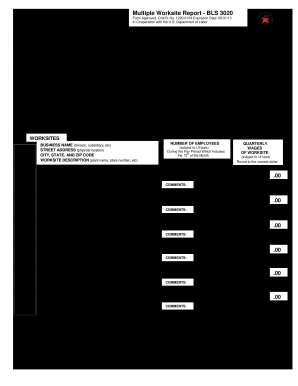
- In the Worksites section, verify each worksite’s name and physical address. Ensure the description uniquely identifies each location, such as the plant name or store number.
- Enter the number of employees for each worksite for each month of the quarter. This should reflect the total number of full-time and part-time employees who worked or received pay during the pay period that includes the 12th of the month.
- Input the quarterly wages for each worksite that are subject to Unemployment Insurance laws. Round these amounts to the nearest dollar.
- Use the Comments section to explain any significant changes in employment or wages. Document situations like store closures or layoffs that might have affected your data.
- Check if there are any additional worksites that are not listed on the form. If so, provide their details using the available blank lines or by attaching a separate page. Include necessary information such as business name, address, employees, wages, and any sales or closures.
- Complete the Totals section at the end of the list by summing the number of employees and wages across all worksites for each month of the quarter. Ensure these totals agree with your Quarterly Contributions Report.
- Once you have filled out the form, you can save your changes or download it for your records. Be sure to print a copy if needed and share it as required.
Complete your CA BLS 3020 form online today to ensure timely and accurate reporting.
Get form
Experience a faster way to fill out and sign forms on the web. Access the most extensive library of templates available.
To file a California corporate disclosure statement online, you can visit the official state website or use platforms like USLegalForms. The process typically involves completing a form and submitting it electronically. When filing, ensure you have your CA BLS 3020 documentation readily available for reference. This streamlines the reporting process and minimizes errors.
Get This Form Now!
Use professional pre-built templates to fill in and sign documents online faster. Get access to thousands of forms.
Industry-leading security and compliance
US Legal Forms protects your data by complying with industry-specific security standards.
-
In businnes since 199725+ years providing professional legal documents.
-
Accredited businessGuarantees that a business meets BBB accreditation standards in the US and Canada.
-
Secured by BraintreeValidated Level 1 PCI DSS compliant payment gateway that accepts most major credit and debit card brands from across the globe.