Loading
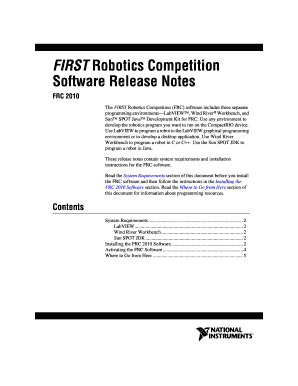
Get The First Robotics Competition (frc) Software Includes Three Separate
How it works
-

Open form follow the instructions
-

Easily sign the form with your finger
-

Send filled & signed form or save
How to use or fill out The FIRST Robotics Competition (FRC) Software Includes Three Separate online
This guide provides comprehensive instructions on how to fill out The FIRST Robotics Competition (FRC) Software Includes Three Separate form online. It aims to support users in successfully navigating the form's components and understanding its requirements.
Follow the steps to complete the FRC software form online.
- Click ‘Get Form’ button to obtain the form and open it in the editor.
- Review the system requirements section of the document to ensure your environment meets the specifications necessary for installation.
- Follow the detailed installation instructions provided, ensuring that the DVD is inserted when prompted and that you have administrative privileges.
- In the product list, select the programming environments you wish to install, ensuring that you deselect any environments you do not want.
- Click the Next button to proceed with the installation, following any on-screen instructions provided throughout the process.
- Enter the serial number printed on the DVD sleeve when prompted during the installation.
- For Wind River Workbench users, follow the unique installation steps necessary for activation, ensuring the correct files are selected as per the instructions.
- Complete the installation process, and if you have disabled any virus detection programs, remember to re-enable them after installation.
- Once installation is complete, navigate to the provided web links for additional resources and updates to optimize your programming environment.
- Ultimately, ensure to save all changes, download any relevant documents, and keep the form secure for your records.
Begin filling out your form online to get started with the FIRST Robotics Competition software.
FIRST offers a suite of robotics programs for PreK-12 (ages 4-18): FIRST® Robotics Competition for grades 9-12 (ages 14 to 18); FIRST® Tech Challenge for grades 7-12 (ages 12 to 18); and FIRST® LEGO® League with divisions spanning grades PreK-8 (ages 4 to 16).
Industry-leading security and compliance
US Legal Forms protects your data by complying with industry-specific security standards.
-
In businnes since 199725+ years providing professional legal documents.
-
Accredited businessGuarantees that a business meets BBB accreditation standards in the US and Canada.
-
Secured by BraintreeValidated Level 1 PCI DSS compliant payment gateway that accepts most major credit and debit card brands from across the globe.