Get Ca Jv-610 2007-2026
How it works
-

Open form follow the instructions
-

Easily sign the form with your finger
-

Send filled & signed form or save
How to fill out the CA JV-610 online
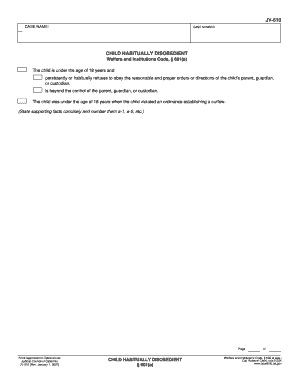
Filling out the CA JV-610 form is an important step in addressing issues related to a child's habitual disobedience. This guide provides clear, step-by-step instructions for completing the form online to ensure accuracy and compliance.
Follow the steps to complete the CA JV-610 form online.
- Click the ‘Get Form’ button to access the CA JV-610 document and open it in your chosen online editing tool.
- In the first section labeled 'Case Name,' provide the name of the relevant case as it appears in the court records.
- Next, enter the 'Case Number.' This is the unique identifier for your case, which you can find in prior court documents.
- In the section titled 'Child habitually disobedient,' clearly state the facts that justify this claim. Ensure you are concise, and number each point for clarity (e.g., a-1, a-2).
- Review the information you provided to ensure all entries are accurate and complete. Pay special attention to spelling and details in your statements.
- Once completed, you have the option to save your changes, download the form for your records, print it out for submission, or share it as needed.
- If you wish to protect your privacy by clearing any entered data, press the 'Clear This Form' button at the end of the form before you exit.
Begin filling out the CA JV-610 form online today to ensure timely and accurate submissions.
Terminating guardianship in California can be challenging, as it requires demonstrating a change in circumstances that justifies the termination. You must submit the appropriate forms, including the petition for termination, and attend a court hearing. The process can be complex, but with support from legal resources like USLegalForms, you can navigate it more smoothly and effectively, ensuring you have the necessary documents and guidance throughout.