Loading
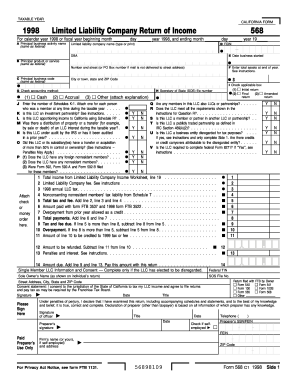
Get Ca Ftb 568 1998
How it works
-

Open form follow the instructions
-

Easily sign the form with your finger
-

Send filled & signed form or save
How to fill out the CA FTB 568 online
The CA FTB 568 is the Limited Liability Company Return of Income form required by the California Franchise Tax Board. This guide provides clear, step-by-step instructions aimed at assisting users in completing this form online accurately and efficiently.
Follow the steps to complete the CA FTB 568 form online.
- Press the ‘Get Form’ button to access the CA FTB 568 form and open it in the editing interface.
- Input the taxable year at the top of the form, ensuring to specify whether it is for the calendar year 1998 or a fiscal year. Fill in the appropriate dates for the start and end of the fiscal year if applicable.
- In section A, provide the principal business activity name and the limited liability company name. Include the FEIN (Federal Employer Identification Number) and any DBA (Doing Business As) names, followed by the business start date.
- Fill in section B with the principal product or service description and the principal business code, both of which should match the federal records.
- In section C, check the applicable accounting method: cash, accrual, or other, and provide an explanation if 'other' is selected.
- Address section D by entering the total assets at the end of the year and any required responses in the applicable boxes (sections I through P), including questions about audits, investments, and distributions.
- Complete the income and tax calculations as outlined in the provided lines, starting with total income and applying the applicable fees and tax amounts.
- After completing all fields, review the form to ensure accuracy. You can then save, download, print, or share the completed CA FTB 568 form as per your needs.
Complete your CA FTB 568 form online today to ensure timely and accurate filing!
Get form
Experience a faster way to fill out and sign forms on the web. Access the most extensive library of templates available.
Creating a CA FTB account is straightforward and essential for managing your tax responsibilities. You can sign up online by visiting the California Franchise Tax Board’s official website and providing your personal details, including your Social Security number and contact information. Once registered, you can easily access various services, submit forms like the CA FTB 568, and manage your tax records.
Get This Form Now!
Use professional pre-built templates to fill in and sign documents online faster. Get access to thousands of forms.
Industry-leading security and compliance
US Legal Forms protects your data by complying with industry-specific security standards.
-
In businnes since 199725+ years providing professional legal documents.
-
Accredited businessGuarantees that a business meets BBB accreditation standards in the US and Canada.
-
Secured by BraintreeValidated Level 1 PCI DSS compliant payment gateway that accepts most major credit and debit card brands from across the globe.