Loading
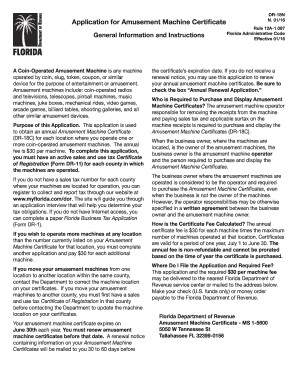
Get Fl Dor Dr-18 2016
How it works
-

Open form follow the instructions
-

Easily sign the form with your finger
-

Send filled & signed form or save
How to fill out the FL DoR DR-18 online
This guide provides clear, step-by-step instructions on how to complete the FL DoR DR-18 form online. Whether you are submitting an initial application or renewing your amusement machine certificate, this resource will support you throughout the process.
Follow the steps to fill out the FL DoR DR-18 form online.
- Click ‘Get Form’ button to obtain the form and open it in the editor.
- Select the type of application you are submitting. Choose from ‘Initial Application’, ‘Add Locations or Machines’, or ‘Annual Renewal Application’ based on your needs.
- Fill in the business operator and amusement machine operator information. Input your business partner number, Federal Employer Identification Number (FEIN) or Social Security Number (SSN), name, business name, mailing address, telephone number, and email address.
- In the amusement machine location information section, indicate the sales tax certificate number for the county where the machines will operate. Provide the location business name, physical address, city, county, state, and ZIP code.
- Specify the maximum number of machines to operate at that location. For a new location or addition of machines, check the appropriate box and calculate the total fee by multiplying the number of machines by $30.
- Review all entered information for accuracy. Ensure compliance with the requirements regarding sales tax certificates for each county where machines are located.
- Sign and date the application, certifying that all provided information is true and complete.
- After completing the form, save the changes and download or print a copy for your records. You can then submit the application along with the required fee to the appropriate Florida Department of Revenue service center or by mail.
Start filling out the FL DoR DR-18 form online to ensure your amusement machines are properly registered.
Get form
Experience a faster way to fill out and sign forms on the web. Access the most extensive library of templates available.
Filling out a certificate of title in Florida requires you to input the vehicle’s information, including its VIN, as well as the details of the new owner. Make sure to refer back to the FL DoR DR-18 to ensure accuracy and compliance with all requirements. Completing this correctly is vital for establishing legal ownership, and online services can provide additional help as needed.
Get This Form Now!
Use professional pre-built templates to fill in and sign documents online faster. Get access to thousands of forms.
Industry-leading security and compliance
US Legal Forms protects your data by complying with industry-specific security standards.
-
In businnes since 199725+ years providing professional legal documents.
-
Accredited businessGuarantees that a business meets BBB accreditation standards in the US and Canada.
-
Secured by BraintreeValidated Level 1 PCI DSS compliant payment gateway that accepts most major credit and debit card brands from across the globe.