Loading
Get Wi W-9 2022-2026
How it works
-

Open form follow the instructions
-

Easily sign the form with your finger
-

Send filled & signed form or save
How to fill out the WI W-9 online
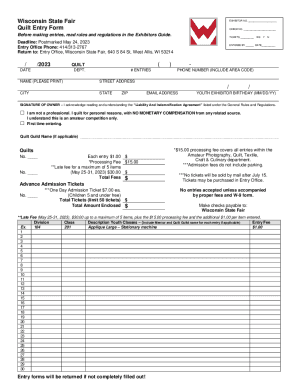
Filling out the WI W-9 form online is a straightforward process that is essential for exhibitors participating in events like the Wisconsin State Fair. This guide provides you with clear, step-by-step instructions to ensure that you complete the form accurately and efficiently.
Follow the steps to complete your WI W-9 form with ease.
- Click the ‘Get Form’ button to obtain the WI W-9 form and open it in your online editor.
- Enter your name exactly as it appears on your income tax return in the first field. This name must match the information on your entry form to avoid any discrepancies.
- If applicable, provide your business name or disregarded entity name in the second field, but leave it blank if it does not apply.
- Select the appropriate tax classification by checking one of the boxes listed. Only check one box to indicate your federal tax classification.
- Fill in your address in the fifth field, ensuring it matches the address on your entry form.
- Provide your city, state, and ZIP code in the next fields, continuing to ensure consistency with the entry form.
- In the Taxpayer Identification Number (TIN) section, enter your Social Security Number (SSN) or Employer Identification Number (EIN) in the appropriate boxes.
- Review the certification section and ensure that you understand and agree with the statements outlined. Sign and date the form in the provided spaces to confirm your information.
- Save your changes to the form, and then proceed to download, print, or share it as required for your entry submission.
Get started on filling out your WI W-9 form online today to ensure your entry is processed smoothly.
Filling out Form W-9 Just provide your name on line 1, and your Social Security number in Part I. Your name should match the one that appears on your tax return. Enter your address on lines 5 and 6. Use the address on your tax return if your business address is different from your home address.
Industry-leading security and compliance
US Legal Forms protects your data by complying with industry-specific security standards.
-
In businnes since 199725+ years providing professional legal documents.
-
Accredited businessGuarantees that a business meets BBB accreditation standards in the US and Canada.
-
Secured by BraintreeValidated Level 1 PCI DSS compliant payment gateway that accepts most major credit and debit card brands from across the globe.