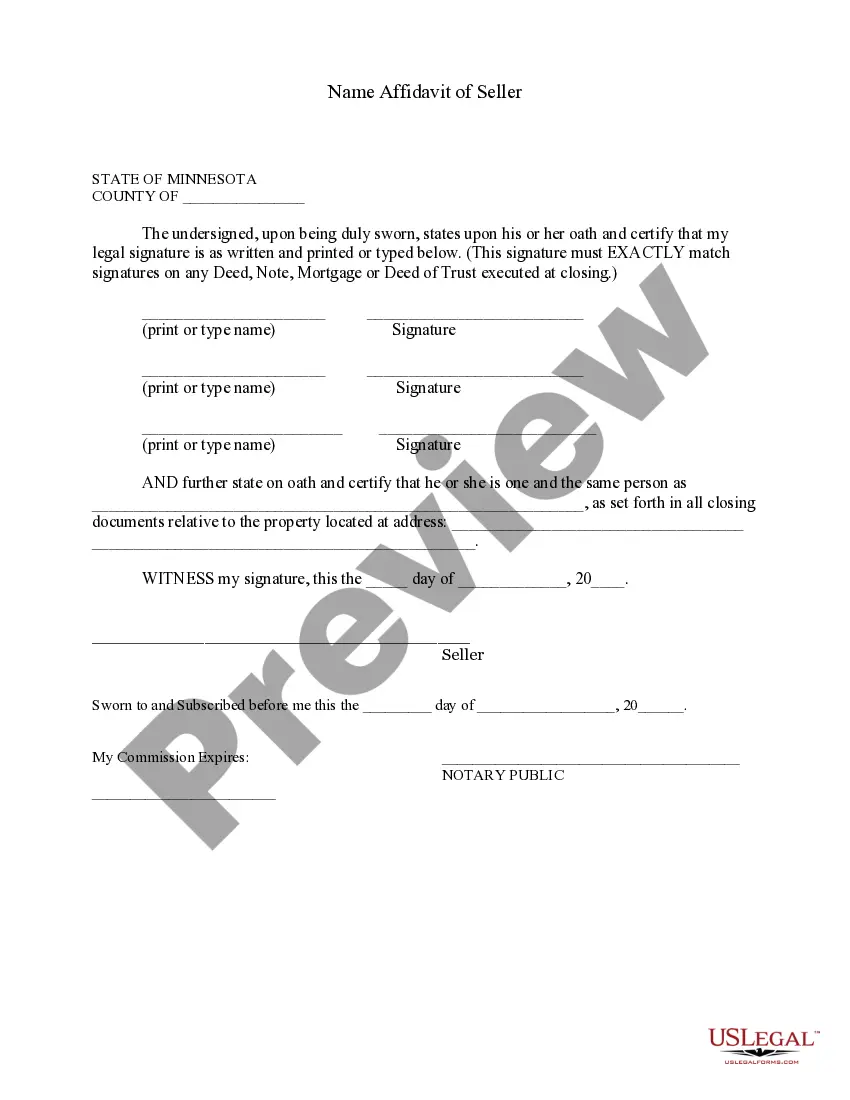
Minnesota Seller Affidavit Form Pdf
Description

Get your form ready online
Our built-in tools help you complete, sign, share, and store your documents in one place.
Make edits, fill in missing information, and update formatting in US Legal Forms—just like you would in MS Word.
Download a copy, print it, send it by email, or mail it via USPS—whatever works best for your next step.
Sign and collect signatures with our SignNow integration. Send to multiple recipients, set reminders, and more. Go Premium to unlock E-Sign.
If this form requires notarization, complete it online through a secure video call—no need to meet a notary in person or wait for an appointment.
We protect your documents and personal data by following strict security and privacy standards.

Make edits, fill in missing information, and update formatting in US Legal Forms—just like you would in MS Word.

Download a copy, print it, send it by email, or mail it via USPS—whatever works best for your next step.

Sign and collect signatures with our SignNow integration. Send to multiple recipients, set reminders, and more. Go Premium to unlock E-Sign.

If this form requires notarization, complete it online through a secure video call—no need to meet a notary in person or wait for an appointment.

We protect your documents and personal data by following strict security and privacy standards.
Looking for another form?

How to fill out Minnesota Name Affidavit Of Seller?
Bureaucracy necessitates precision and exactness.
Unless you manage completing paperwork like the Minnesota Seller Affidavit Form Pdf on a daily basis, it may lead to some misunderstandings.
Choosing the correct sample from the outset will ensure that your document submission proceeds seamlessly and avert any issues of resending a document or starting the same task entirely from the beginning.
Acquiring the correct and up-to-date samples for your paperwork is a matter of a few minutes with an account at US Legal Forms. Eliminate the bureaucratic worries and simplify your paperwork process.
- Find the appropriate template using the search bar.
- Ensure the Minnesota Seller Affidavit Form Pdf you discovered is applicable for your jurisdiction or area.
- Examine the preview or review the description that includes the details regarding the use of the template.
- When the outcome aligns with your search, click the Buy Now button.
- Select the suitable option from the proposed pricing plans.
- Log In to your account or create a new one.
- Finalize the purchase using a credit card or PayPal account.
- Download the document in your preferred format.
Form popularity
FAQ
Verification that the vehicle identification number (VIN) on the dashboard matches the number which is printed on the title. Signed lien release card or notarized lien release form for any lien holders if there are any. Your proof of insurance on the car. Your payment for fees and applicable taxes.
How to Sign Your Title in Minnesota (MN)Front of the title on the left - print name(s) on the line where it reads "Seller's Printed Name(s)."Front of the title right below where you printed name(s) - sign name(s) on the line where it reads "Seller's Signature(s)."More items...
5524.3-1201). The affidavit must be completed in full and the applicant's signature must be notarized. Note: If the title is lost, the non-heir must either title the vehicle in their name first or obtain a duplicate title in the deceased party's name so the transfer is completed on a title.
A Minnesota motor vehicle bill of sale is a legal document that serves as proof that two (2) parties have executed the sale of a motor vehicle. The document also establishes a change of ownership and provides the required information for the vehicle's registration. This form requires notarization.
Enter the date of sale on the line shown in the middle of the title: month/day/year. On the right side of the title PRINT the Buyer's name and address on the lines shown, and then the Buyer signs on the third line. On the back of the Title in the upper left corner enter the FULL PURCHASE PRICE on the line shown.