Agreement Form For Employee In Queens
Description





Get your form ready online
Our built-in tools help you complete, sign, share, and store your documents in one place.
Make edits, fill in missing information, and update formatting in US Legal Forms—just like you would in MS Word.
Download a copy, print it, send it by email, or mail it via USPS—whatever works best for your next step.
Sign and collect signatures with our SignNow integration. Send to multiple recipients, set reminders, and more. Go Premium to unlock E-Sign.
If this form requires notarization, complete it online through a secure video call—no need to meet a notary in person or wait for an appointment.
We protect your documents and personal data by following strict security and privacy standards.
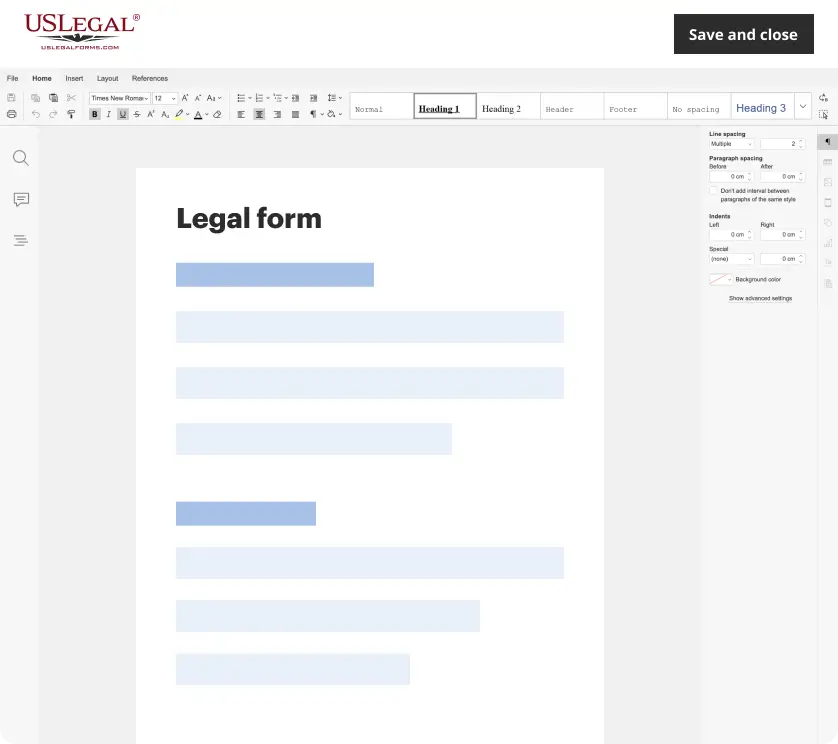
Make edits, fill in missing information, and update formatting in US Legal Forms—just like you would in MS Word.
Download a copy, print it, send it by email, or mail it via USPS—whatever works best for your next step.
Sign and collect signatures with our SignNow integration. Send to multiple recipients, set reminders, and more. Go Premium to unlock E-Sign.
If this form requires notarization, complete it online through a secure video call—no need to meet a notary in person or wait for an appointment.
We protect your documents and personal data by following strict security and privacy standards.
Looking for another form?

Form popularity
FAQ
An eligible consensual case that was commenced and continued in hard copy form may be converted to a NYSCEF case by filing a Stipulation and Consent to E–Filing (found on the website) with the court. Any such conversion should be done promptly after commencement.
Documents required for new employee: Proof of Identity: Typically, this involves a government-issued ID such as a passport or a national identity card. Proof of Eligibility to Work: Depending on the country, this could be a work permit, visa, or a document like the Social Security card in the USA.
Employee's eligibility to work in the United States All U.S. employers must properly complete Form I-9 for every individual they hire for employment in the United States. This includes citizens and noncitizens. Both employees and employers (or authorized representatives of the employer) must complete the form.
In New York, the new hire paperwork collection looks similar to that of other states: I-9 employment eligibility verification form (not required for volunteers, independent contractors, or unpaid interns) W-4 federal tax collection form. IT-2104 New York state tax withholding form.
Both a W-2 and a W-4 tax form. These forms will come in handy for both you and your new hire when it's time to file income taxes with the IRS. A DE 4 California Payroll tax form. Issued by the Employment Development Department, this form helps employees calculate the correct state tax withholding from their paycheck.
In some workplaces, even at-will employees have to sign a document stating that they acknowledge they are at-will. But if you signed an employment contract, you should have gotten received a copy of the contract. In that contract, it specifies all of the details governing your employment agreement.
Step 1: Go to the official website of the Administrative Development, Labour, and Social Affairs (MADLSA) . Enter QID Card number/visa number and phone number. Step 2: Enter the OTP sent to the number you have provided for your QID card or visa. Now click on Login.
Updated August 15, 2024. An employment agreement is one of the many documents that a new employee might review and sign when hired for a new role. These contracts often include vital information about their employment and determine what a person might expect from a company.
An Employee Handbook Agreement form is a document that outlines the policies, procedures, and expectations of an organization for its employees. It serves as a written agreement between the employer and the employee, stating that the employee has received and understands the policies outlined in the handbook.
Q. How can an employee check their work contracts in Saudi Arabia? Log in to your Qiwa individual account. Go to 'Services' and select 'Employment Contracts'. Select 'Your current contracts'. Review your current employment contract(s). You can view the contract in preview or full size.
