Checking Logs
About this form
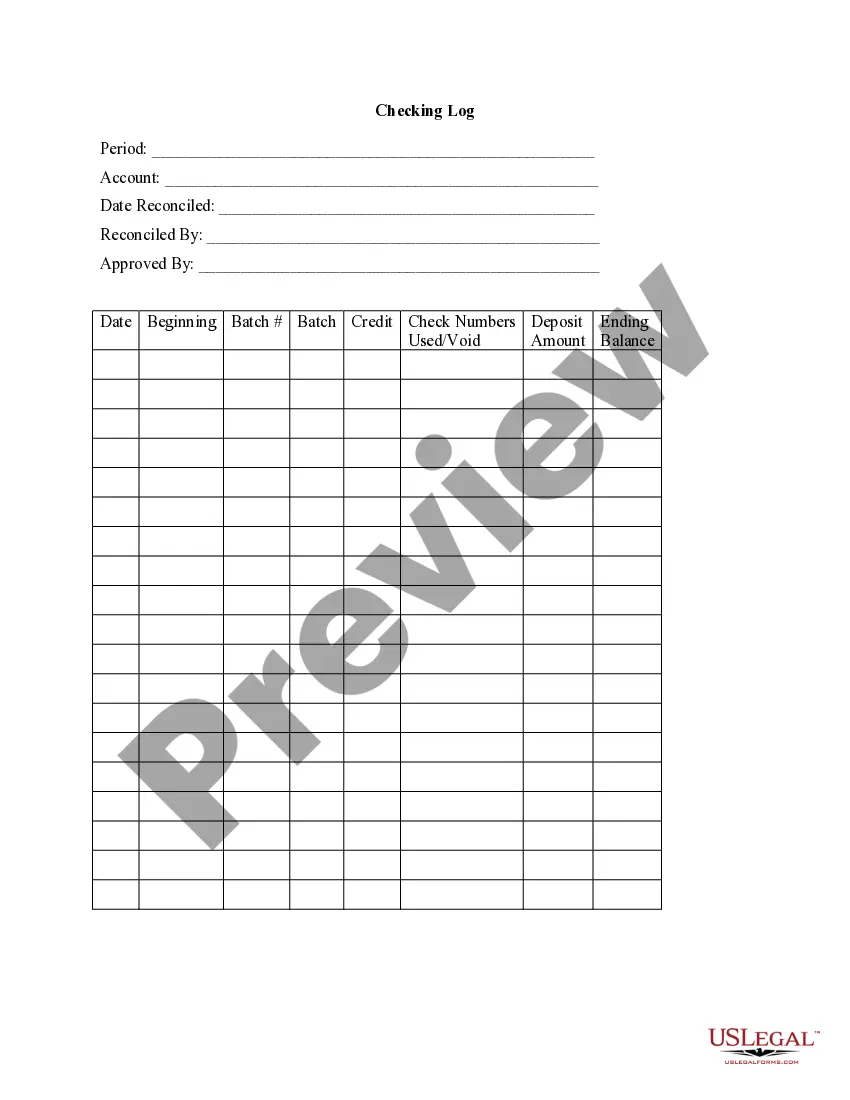
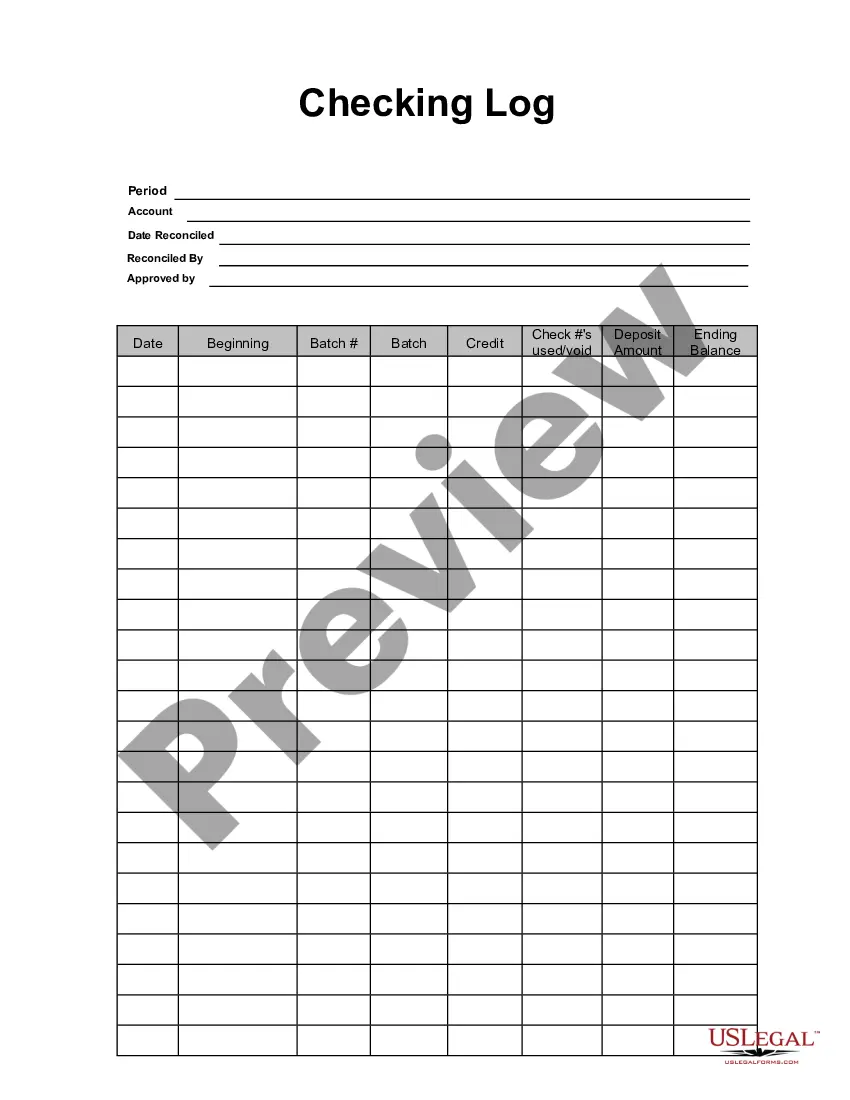
The Checking Log is a vital tool for small businesses to track and reconcile their checking account transactions. This form helps maintain accurate records of all deposits, withdrawals, and checks, facilitating better financial management. Unlike general accounting forms, the Checking Log focuses specifically on monitoring check activities and account balances, making it essential for businesses looking to manage their finances effectively.
What’s included in this form
- Period: The timeframe for which the log applies.
- Account: The specific checking account being managed.
- Date Reconciled: The date when the account was verified for accuracy.
- Reconciled By: The individual responsible for reconciling the account.
- Approved By: The person who approves the reconciled log.
- Beginning Balance: The starting balance for the log period.
- Batch: A summary of transactions processed in this period.
- Deposit Amount: Total deposits made during the period.
- Ending Balance: The final balance after all transactions are accounted for.
When to use this form
This Checking Log should be used whenever a small business needs to monitor and verify its checking account activities. It is particularly useful during monthly reconciliations, before tax season, or when auditing financial records. Utilizing this log can help identify discrepancies and ensure that all transactions are accurately recorded, leading to better financial oversight.
Who this form is for
- Small business owners managing their finances.
- Accounting professionals reconciling accounts for clients.
- Bookkeepers tasked with maintaining accurate financial records.
- Non-profit organizations needing to track their funding activities.
Completing this form step by step
- Identify the period for which the transactions are recorded.
- Enter the specific checking account information.
- Record the date the log was reconciled.
- Document who reconciled and approved the log for accountability.
- Input the beginning and ending balances along with total deposit amounts.
- List check numbers and any voided checks used within the period.
Is notarization required?
This form does not typically require notarization to be legally valid. However, some jurisdictions or document types may still require it. US Legal Forms provides secure online notarization powered by Notarize, available 24/7 for added convenience.
Get your form ready online
Our built-in tools help you complete, sign, share, and store your documents in one place.
Make edits, fill in missing information, and update formatting in US Legal Forms—just like you would in MS Word.
Download a copy, print it, send it by email, or mail it via USPS—whatever works best for your next step.
Sign and collect signatures with our SignNow integration. Send to multiple recipients, set reminders, and more. Go Premium to unlock E-Sign.
If this form requires notarization, complete it online through a secure video call—no need to meet a notary in person or wait for an appointment.
We protect your documents and personal data by following strict security and privacy standards.

Make edits, fill in missing information, and update formatting in US Legal Forms—just like you would in MS Word.

Download a copy, print it, send it by email, or mail it via USPS—whatever works best for your next step.

Sign and collect signatures with our SignNow integration. Send to multiple recipients, set reminders, and more. Go Premium to unlock E-Sign.

If this form requires notarization, complete it online through a secure video call—no need to meet a notary in person or wait for an appointment.

We protect your documents and personal data by following strict security and privacy standards.
Typical mistakes to avoid
- Failing to update the log regularly, leading to inaccuracies.
- Not entering all checks and deposits, resulting in missing balances.
- Inconsistent formatting when recording transactions makes reviews difficult.
- Skipping reconciliation dates can cause confusion in financial tracking.
Advantages of online completion
- Easy access to download and fill out without needing physical forms.
- Editable fields allow for quick updates as transactions occur.
- Secure storage keeps financial records organized and confidential.
- Available anytime, ensuring that your finances are managed consistently.
Looking for another form?
Form popularity
FAQ
Thanks to its multiple purposes, log analysis is a critical part of log management. It helps with monitoring and alerting, measuring productivity, security incident response, governmental compliance, and it's useful even in cyber-forensics.
System log - system logs record events that occur within the operating system itself, such as driver errors during start-up, sign-in and sign-out events and other activities.
View the Windows Setup event logs Start the Event Viewer, expand the Windows Logs node, and then click System. In the Actions pane, click Open Saved Log and then locate the Setup. etl file. By default, this file is available in the %WINDIR%\Panther directory. The log file contents appear in the Event Viewer.
Press the Windows key + R on your keyboard to open the run window. In the run dialog box, type in eventvwr and click OK. In the Event Viewer window, expand the Windows Logs menu. Under the Windows Logs menu, you'll notice different categories of event logs?application, security, setup, system, and forwarded events.
Many log files are recorded in plain-text form, which means you can use a program like Notepad or Microsoft Office to open and view a server log file.
Most web servers generate a log file in the Common Log Format (CLF) for every HTTP request. Each log entry contains detailed information about the request, including: the IP address of the device; the date and time of the request; the name and location of the requested file; and the file size.
To check for error logs, follow these steps: Check the log files for error messages. Examine errlog. log first. If indicated, check optional log files for error messages. Identify the errors associated with your problem.